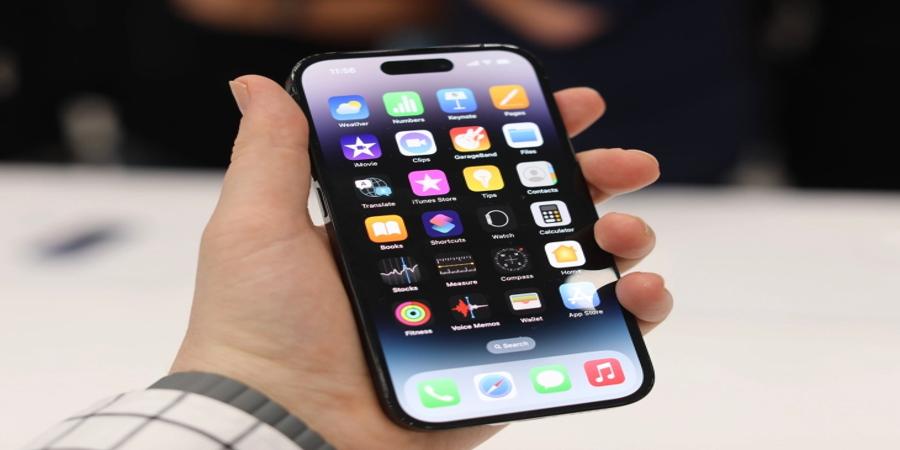
Apple’s long-awaited iOS 16 update for iPhones lands Monday with new security and privacy features, aimed at preventing spyware, protecting users against domestic and spousal abuse and replacing passwords that let hackers break into your online accounts.
Here’s a rundown of what to expect to see after you install.
A new security feature, Lockdown Mode temporarily switches off certain core features of your iPhone that are frequently abused by spyware makers to break through an iPhone’s security defenses. By blocking these features, your iPhone’s attack surface is vastly reduced to make it more difficult for someone to remotely plant spyware on your device. It’s aimed at at-risk groups of people, like journalists, activists, human rights defenders and even politicians whose phones are often targeted by their own governments.
Lockdown Mode blocks certain iOS features, which are sometimes abused by spyware, from working. Image Credits: TechCrunch
Lockdown Mode blocks certain iOS features, which are sometimes abused by spyware, from working. Image Credits: TechCrunch
TechCrunch gave Lock Down Mode a spin earlier this year to see how it works. While the security feature does limit what you can do on your iPhone, (it mostly adds friction — small moments of inconvenience — for the device owner), the mode makes it that much harder for attackers to compromise your phone and its data.
iOS 16 brings two tracks of automatic updates, one for your iOS software and the other is rapid security response, a new option that lets your iPhone install security hotfixes as soon as Apple releases them. The idea is to silently push critical security updates to devices without necessarily having to install a full update every time.
A new feature in iOS 16 includes “Security Responses & System Files” updates that are pushed to devices over-the-air and silently installed. Image Credits: TechCrunch
A new feature in iOS 16 includes “Security Responses & System Files” updates that are pushed to devices over-the-air and silently installed. Image Credits: TechCrunch
This means Apple can push out emergency patches to devices, such as to protect users from actively exploited zero-day vulnerabilities, without having to rely on device owners to finish the job with a phone restart.
Additional good news for macOS Ventura users, who will also get rapid security updates when desktop and laptop updates are released.
A new feature in iOS 16 is Safety Check, somewhat like a panic button, in the sense it allows you to immediately cut all shared access to your accounts and data in the event of a dangerous situation, such as abusive spousal relationships. As we explored earlier this year, the feature includes an “emergency reset” option that instantly resets all access that anybody has to your messages, apps, real-time location and other personal information.
A screenshot of Safety Check, a new feature that lets you disconnect from people, apps and devices “if circumstances or trust levels change,” such as in a domestic relationship. Image Credits: TechCrunch
A screenshot of Safety Check, a new feature that lets you disconnect from people, apps and devices “if circumstances or trust levels change,” such as in a domestic relationship. Image Credits: TechCrunch
Safety Check is a thoughtful approach to real-world circumstances that many face daily and recognizes that the technologies that we use can also have nefarious consequences.
The end of passwords is a long way off, but passkeys might be the mass adoption of passwordless authentication we’ve been hoping for. Apple Passkeys let you sign into websites and apps using your device, rather than a password, which can be leaked, lost or stolen, by authenticating with your face or fingerprint using Face ID or Touch ID.
A screenshot showing a new log-in method on an Apple website, which lets you use your device as a “Passkey.” Image Credits: TechCrunch
A screenshot showing a new log-in method on an Apple website, which lets you use your device as a “Passkey.” Image Credits: TechCrunch
Passkeys use a common standard set out by FIDO Alliance and the World Wide Web Consortium, allowing the passwordless tech to work across devices and platforms. Apple, Google and Microsoft have so far signed up to the group effort. TechCrunch has an explainer on what passkeys are, how they work, and what happens next.
And finally: a small but important security addition to the mix, iOS 16 now blocks apps from accessing the contents of your phone’s clipboard. In practice, it means that apps cannot automatically see whatever text, image or content you have copied and ready to be pasted in another app. That will prevent apps from automatically reading sensitive information, like a password copied from your password manager, or uploading that data without your permission.
A new security feature called Pasteboard protection blocks apps from reading your iPhone’s clipboard without your permission. Image Credits: TechCrunch
A new security feature called Pasteboard protection blocks apps from reading your iPhone’s clipboard without your permission. Image Credits: TechCrunch
Now, iOS 16 will let you allow the paste or disallow the paste. It’s an extra step for you, but it saves your private data from being pasted to the internet without your knowledge.
Source @TechCrunch